SkyAim Pro Docs
Documentation Hub
Guides for installing SkyAim Pro, connecting your devices, tuning the radar, overlay and aimbot, and fixing errors.
See SkyAim Pro in action
Real pictures from live raids on Customs: the radar, the ESP overlay and the settings. Click any picture to zoom in.
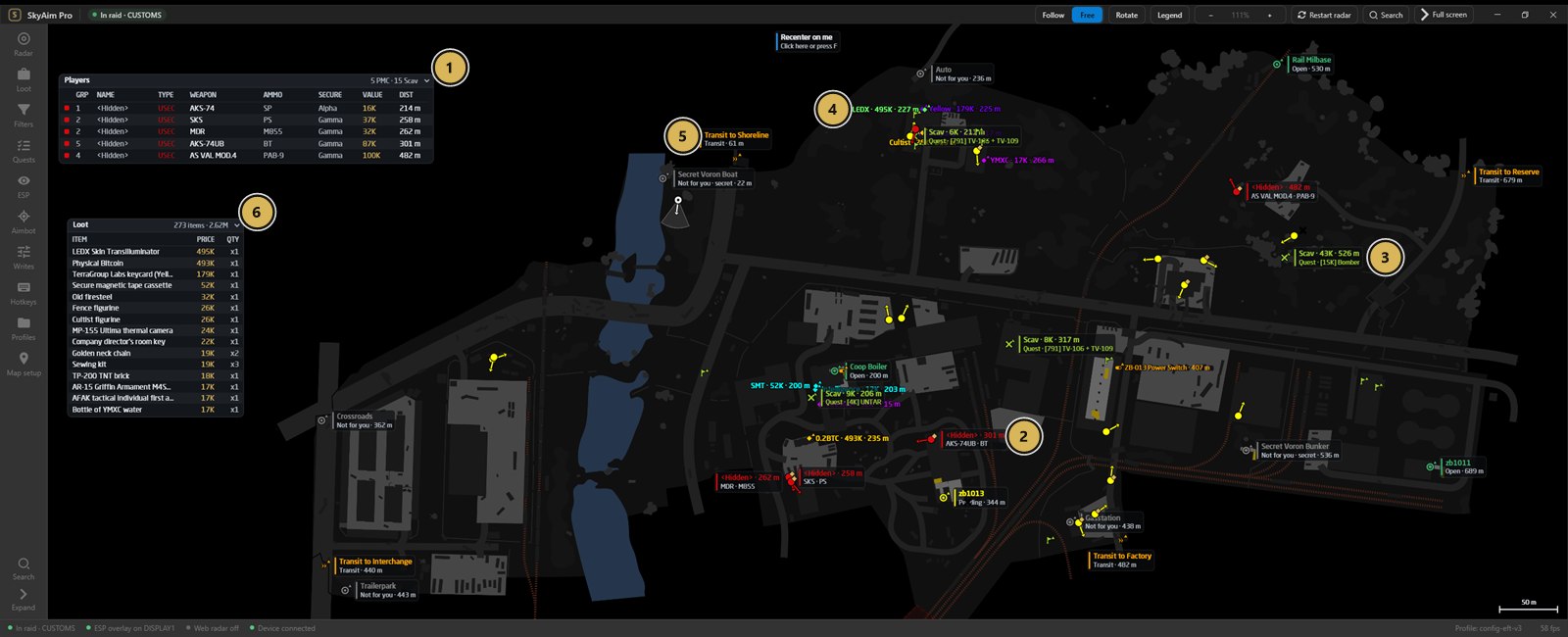
- Every PMC in the raid with weapon, ammo, secure container, gear value and distance
- Enemy PMC on the map with weapon and ammo
- Bodies tagged with the quest items they carry
- Valuable loot with its price, here LEDX at 495K
- Transits and exfils with their distance
- All loot in the raid, sorted by price (273 items, 2.62M)
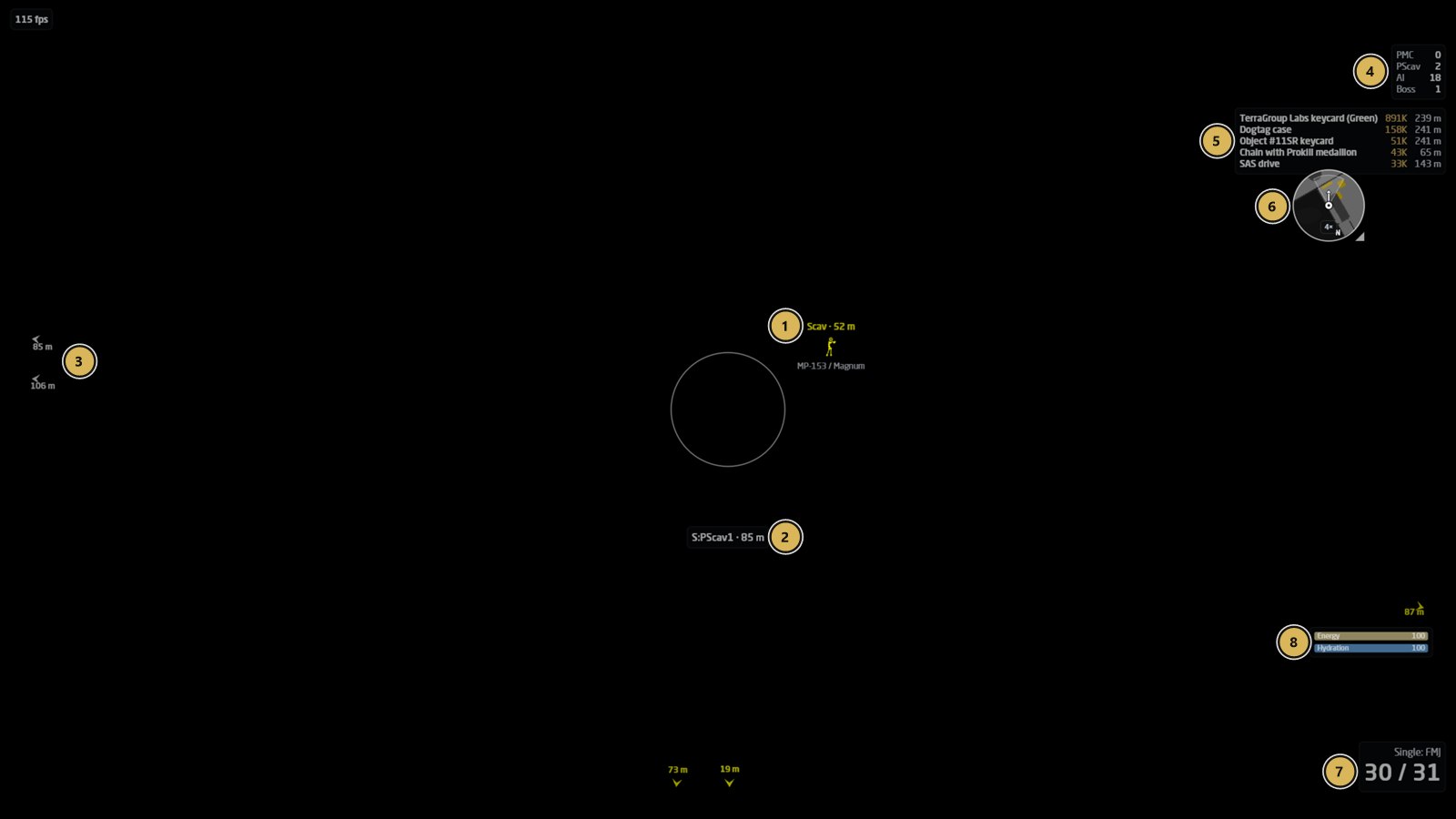 What the overlay draws on your gameThe ESP overlay during the same raid, as sent to the fuser.
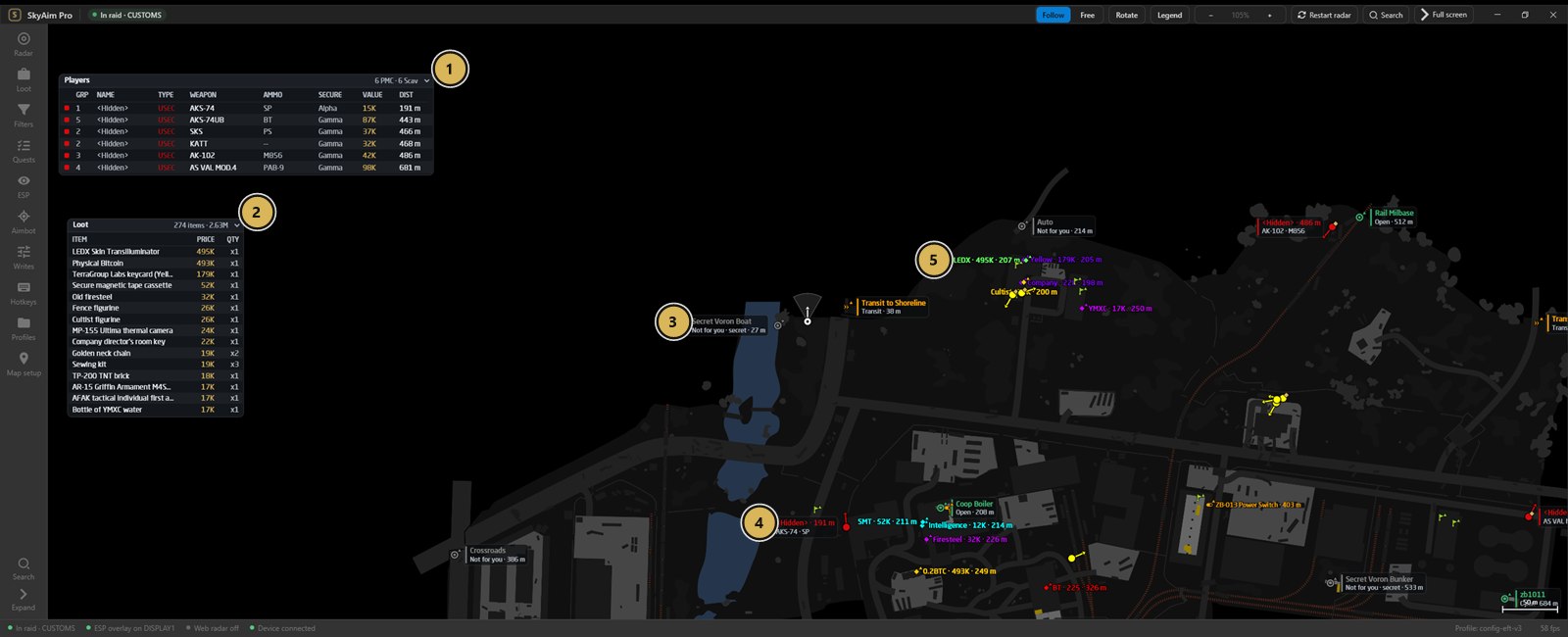 Know who is in your raid from the first secondRaid start: the full loadout of all six PMCs and the best loot.
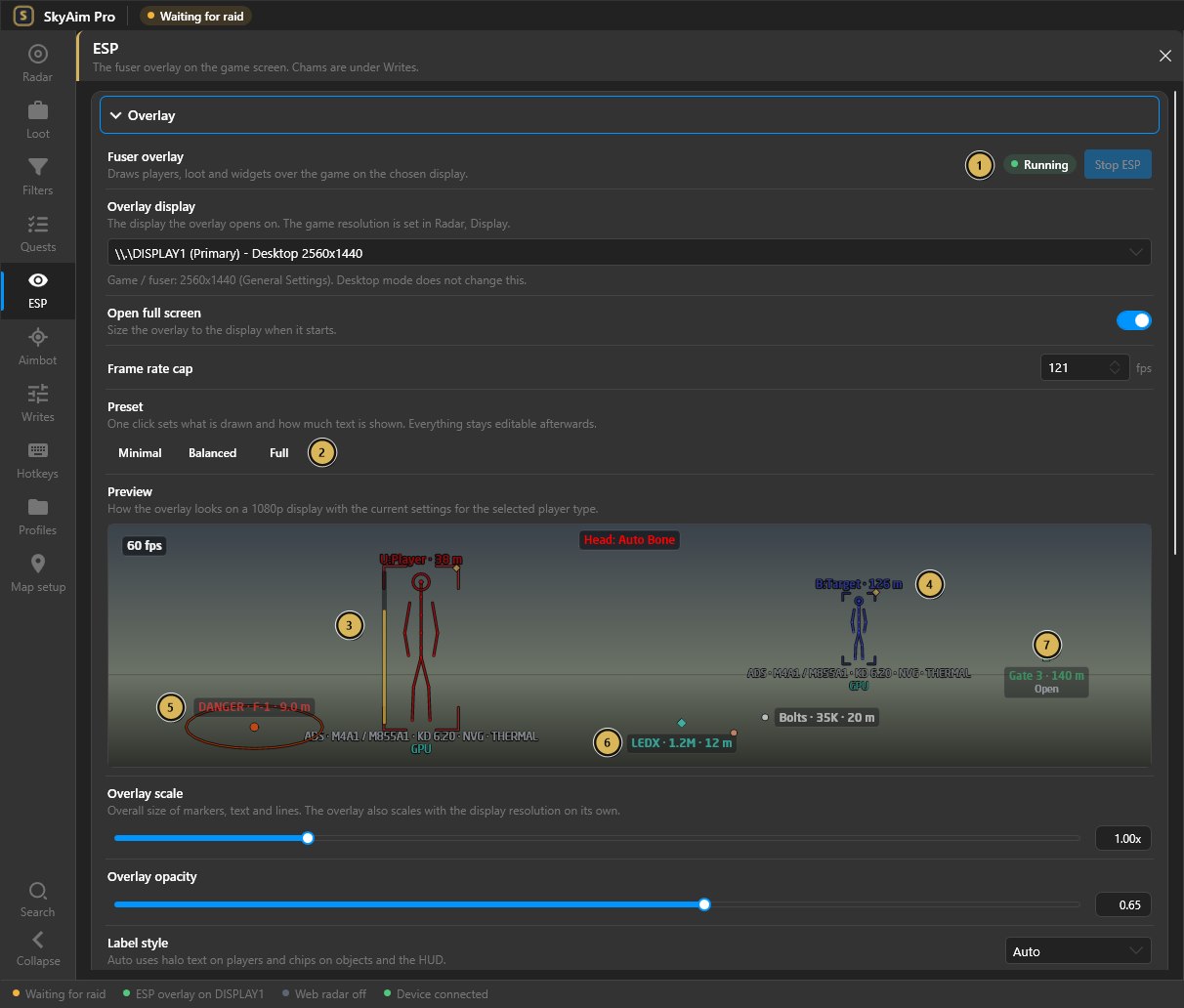 Design the overlay with a live previewEvery overlay setting shows its effect immediately.
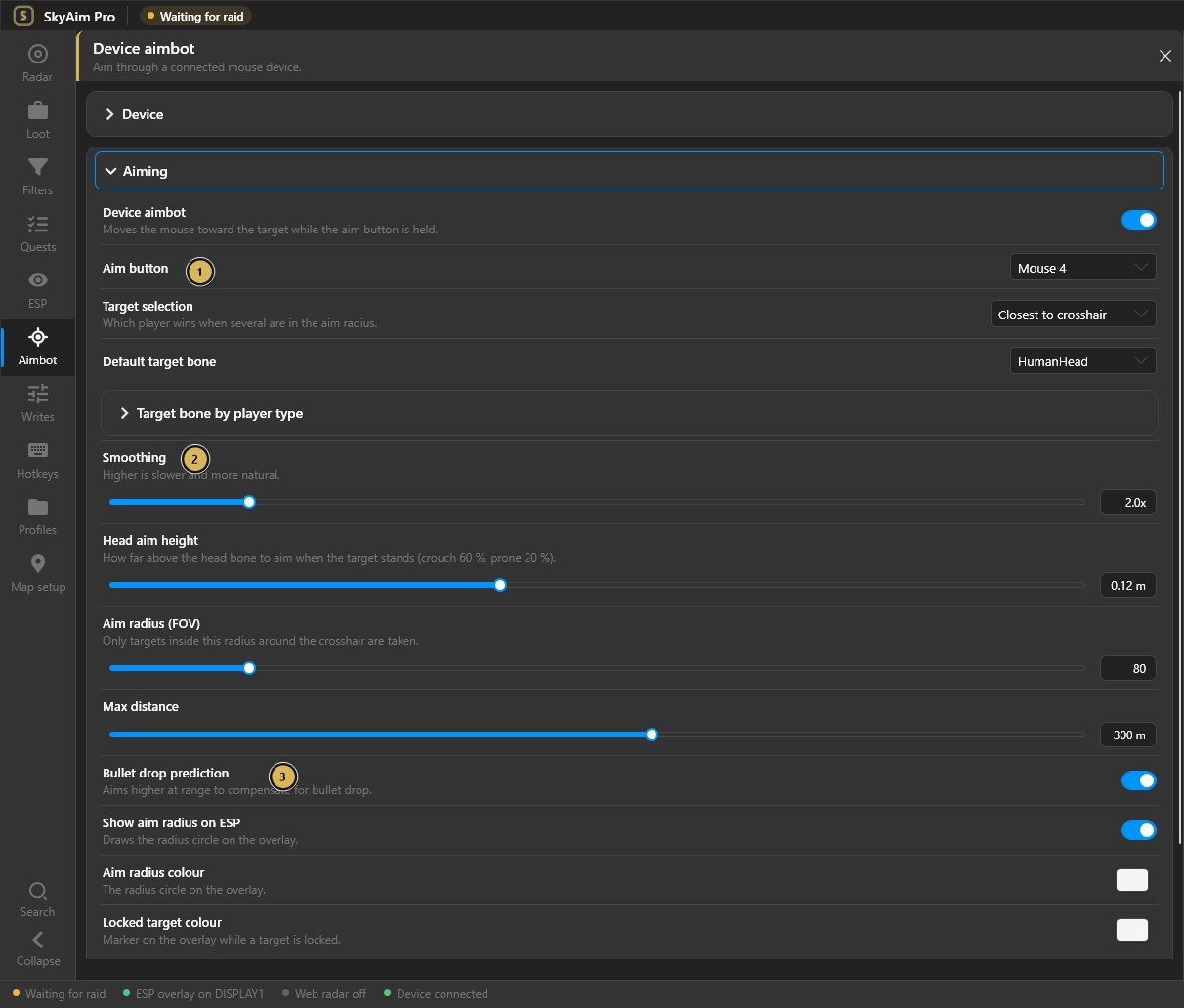 Aiming you can tuneAim button on your mouse, smoothing, head height, aim radius, distance.
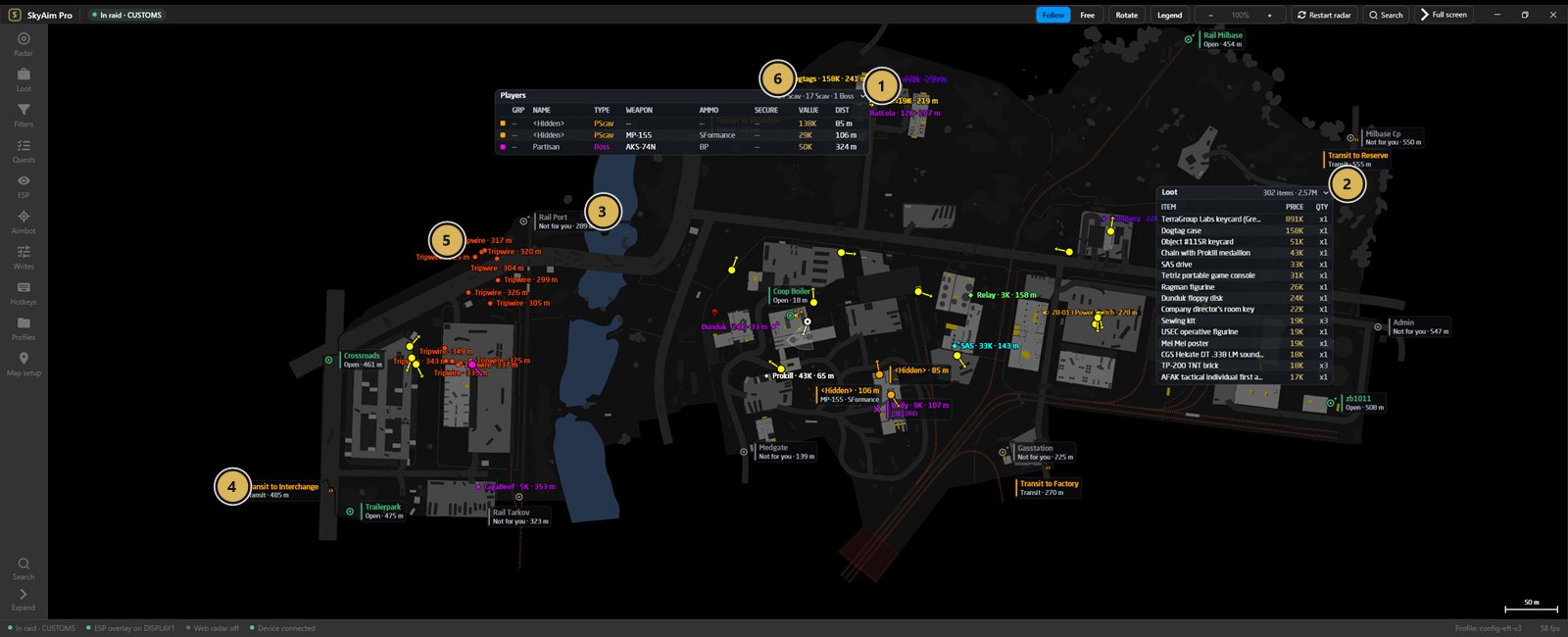 Bosses, loot and exits on one screenCustoms raid with the boss Partisan.
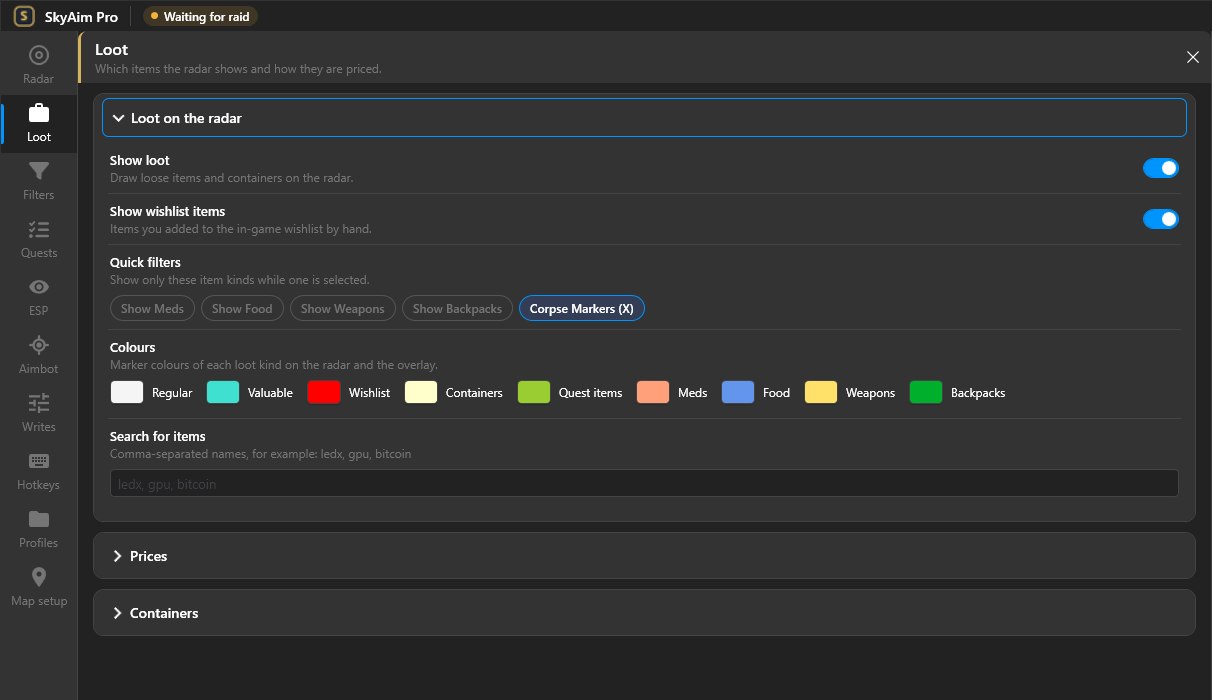 Only the loot you wantQuick filters and a colour for each loot class.
Start here
Three steps from the ZIP to your first raid.
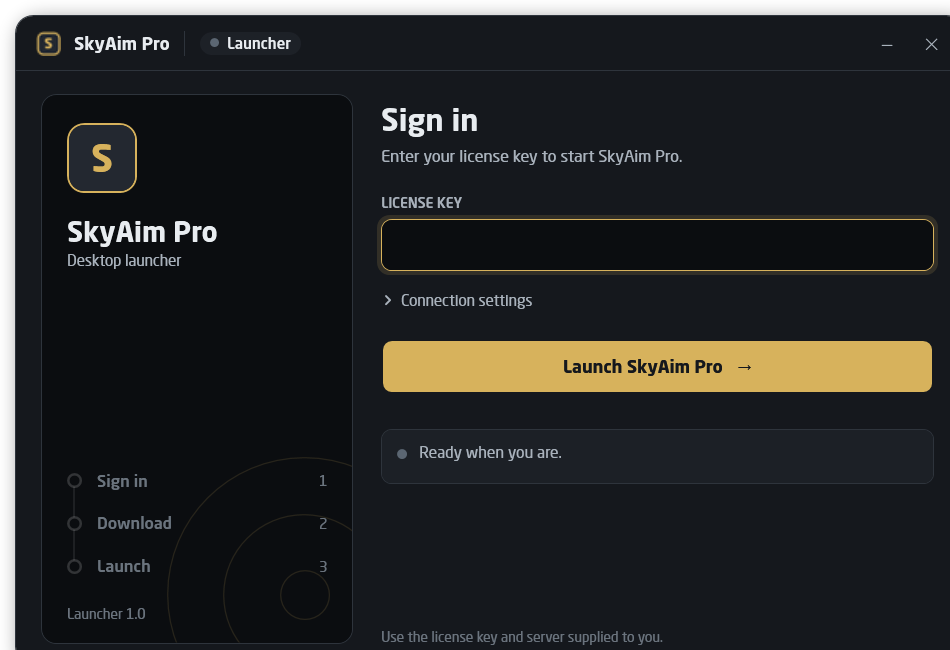
Install the launcherExtract the ZIP, enter the server address and your license key, launch.Read the guide →
First launch checklistStart order, what the first run builds, and how to confirm every feature is alive.Read the checklist →
Connect your deviceMAKCU, KMBOX Bpro or KMBOX Net: wire it, find the port, verify it with Mouse test.Set up the device →
Recently updated
Colours moved next to their settings; Ctrl+9 Profiles, Ctrl+0 Map setupMenu referenceNov 15, 2026MAKCU setup rewritten from the official makcu.com guide, with Toolkit picturesGetting startedNov 15, 2026KMBOX Net and KMBOX Bpro / MAKCU serial pages with picturesGetting startedNov 15, 2026Line of sight: all ten maps, doors tracked liveAdvancedNov 15, 2026Launcher 1.3.1: .NET 10 built in, nothing to installGetting startedNov 17, 2026Target bone by player type, per-PC calibrationMenu referenceNov 14, 2026Achievements tab and combinable Items-needed scopesAdvancedNov 14, 2026Chams moved to the Writes pageMenu referenceNov 14, 2026
Getting started
Install the launcher and connect your devices, in order.
Download & installRequirements, the launcher ZIP, server address, license key and how updates work.First launch checklistStart order, the files the first run creates, and signs that each feature works.KMBOX NetWiring, USB network driver, fixed IPv4 address and the IP / port / UUID in SkyAim Pro.KMBOX Bpro / MAKCU serialWiring, serial driver, COM port in Device Manager and port selection.MAKCU setupStandard firmware, USB1 / USB2 / USB3 cables, CH343 COM port, connect and verify.Interface tourCommand bar, the ten sections of the side panel, legend and mouse controls.
Menu reference
What each section of the side panel and every option in it does.
RadarMap view, players and map objects, monitor and game resolution, frame rate.LootWhich items show, flea or trader prices, value range, quick filters, containers.FiltersFilter groups, adding items, colours, import and export.QuestsQuest helper options, map scope, categories and the tracker button.ESPFuser overlay, players and objects, line of sight, crosshair, mini radar, widgets.AimbotDevice, aim button, FOV, smoothing, prediction, targets and target bones.WritesMemory writes and chams: what each feature does and the risk that comes with it.HotkeysBinding keys to actions, toggle versus hold, built-in shortcuts.ColoursWhere every colour swatch lives now that the Colors page is gone.ProfilesCreate, switch, import and export profiles; where settings live on disk.Map setupOffset and scale calibration for a single map.
Advanced
The tracker website, sharing the radar, line of sight and the bundled filters.
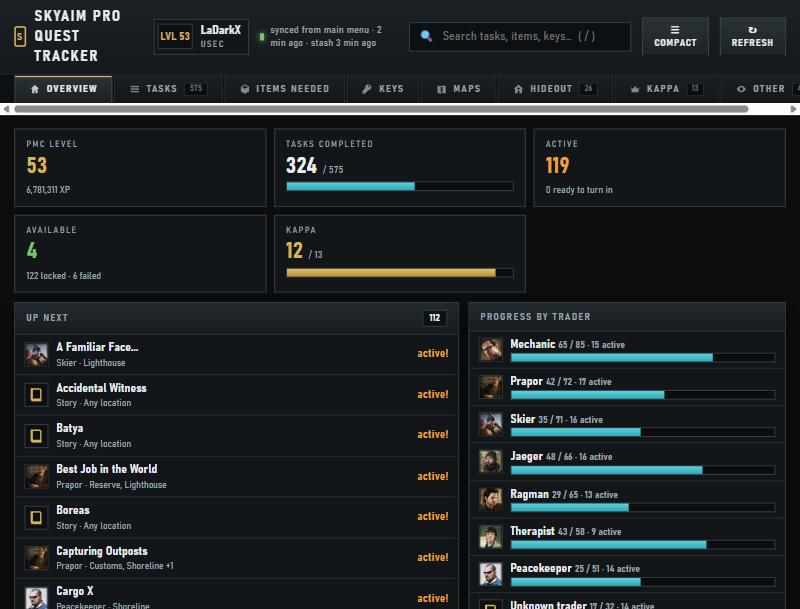
Quest Tracker websiteTasks, items needed, keys, hideout, Kappa and achievements from your own profile.Web radar for teammatesStart the server, open the port, share the link with your squad.Line of sightVisible or hidden colours from the map's collision mesh and live door states.Loot filter presetsThe bundled groups, automatic loading and manual import.
Troubleshooting
Common errors, connection failures and aimbot fixes.
FAQ & error fixesLauncher, radar, loot, overlay, aimbot, tracker and settings. Start here.Launcher messagesEvery status the launcher shows, what it means and what to do.Aimbot not lockingAn eight-point checklist from Mouse test to calibration.
Official noticeSkyAim Pro is supplied only through the launcher and license key you receive privately from the publisher. Do not run copies from other sources, do not bypass certificate warnings in the launcher, and keep your license key to yourself.