Loot filters
Filters (Ctrl 3) are named groups of items to highlight and get notified about. Every item in a group is drawn in the group's colour, always, regardless of price.
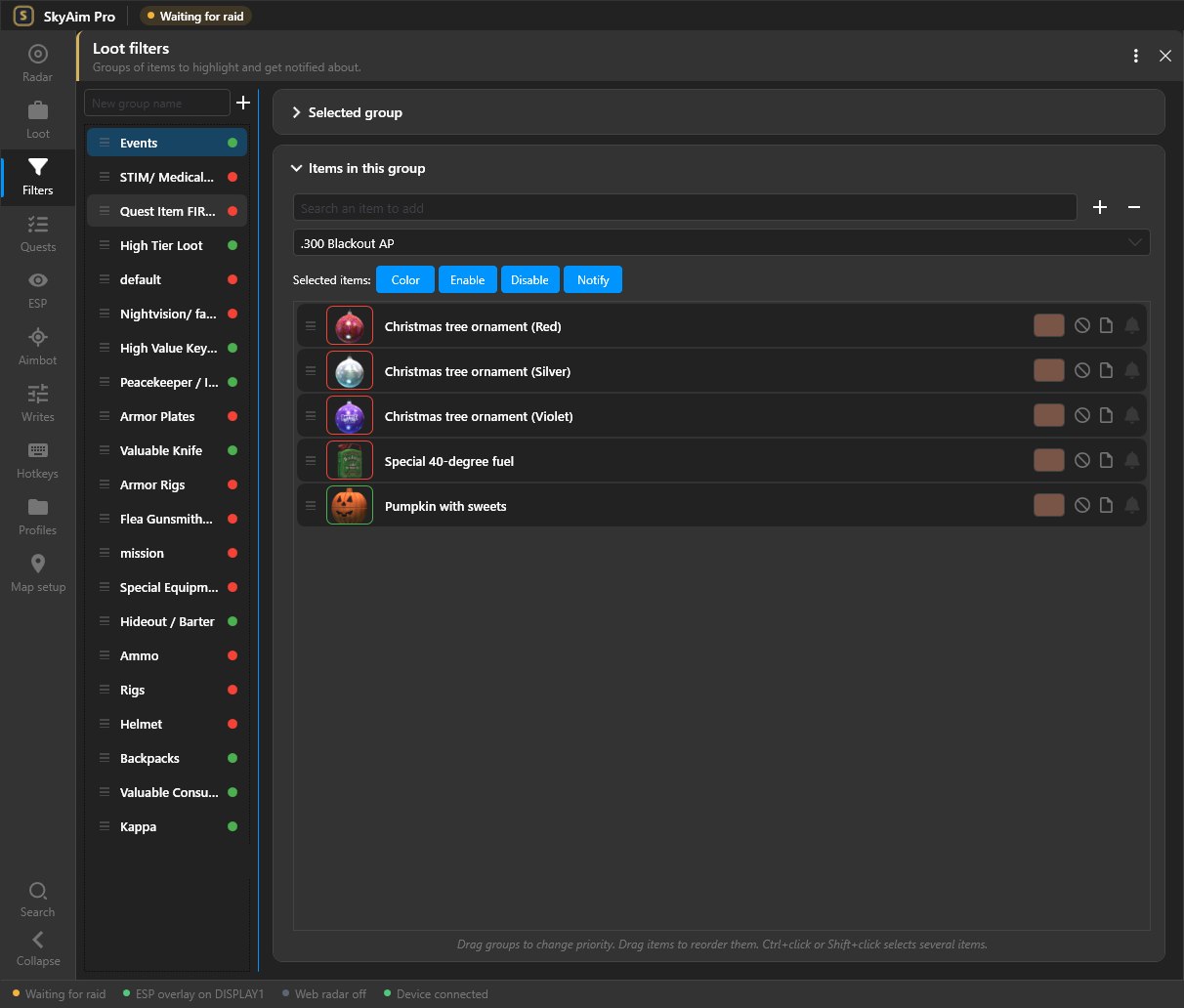
Groups#
The list on the left shows your groups with a checkbox each. Click the checkbox to switch a group on or off without deleting it. Select a group to see Items in this group on the right.
- Add a group
Click the + (Add filter group) button, give it a name and pick a colour. The colour is used on the radar, the overlay and in notifications.
- Add items
Type in Search for items. Results come from the full item database, so partial names work (ledx, gpu, marked key). Click an item to add it.
- Tune the group
Per item you can override the colour. Per group you can choose whether it counts as important (triggers the Important loot style and the on-player marker).
Import and export#
The ⋯ menu above the list offers Import from file…, Import from clipboard, Export Selected and Export All. Exports are JSON files you can send to a teammate.
Importing asks one question. Yes adds the file's groups to the ones you already have. No replaces all of your groups with the file.
The bundled presets#
SkyAim Pro ships with a ready-made set (High Tier Loot, Keys, Quest Item FIR only, Hideout / Barter, Ammo, Kappa and more). It loads by itself on a fresh install. If your list is empty, see Loot filter presets.
Check the FAQ and the launcher message list first. If that does not solve it, send the publisher your newest file from output\Logs (or launcher-update.log for launcher problems).